Why Does My Back Hurt After Sitting in My Office Chair All Day?
Quick Answer
Sitting all day often hurts because your chair doesn’t support your spine’s natural curve, so your lower back muscles work overtime to hold you up. The most effective fix is an ergonomic chair with adjustable lumbar support that you can position to match your lower back’s curve, combined with getting up and moving regularly.
Why This Happens
When you sit, the pressure on your lower back (lumbar spine) increases compared to standing. If your chair doesn’t support the inward curve of your lower back, your spine tends to slump into a C-shape. That posture stretches ligaments, strains muscles, and can compress discs over time.
Several things make it worse:
- No lumbar support or a fixed one. A chair with a flat back or a lumbar bump in the wrong spot leaves your lower back unsupported.
- Sitting too long without moving. Even a good posture becomes tiring after an hour. Muscles fatigue and you start to slouch.
- Seat too deep or too shallow. If the seat pan is too long, you slide forward; too short, and your thighs don’t get support.
- Armrests at the wrong height. They can push your shoulders up or force you to lean, throwing off your spine.
- Desk and monitor height. If your screen is too low, you crane your neck and round your upper back, which pulls your lower back out of alignment.
How to Fix It
Here are approaches ranked from free to more involved.
1. Adjust what you already have (free)
Before buying anything, spend 10 minutes tuning your current chair:
- Set seat height so your feet are flat on the floor and knees are about level with hips.
- If there’s a lumbar knob or slider, move it to the small of your back—roughly at belt level.
- Adjust armrests so your shoulders relax and elbows are near 90 degrees.
- Move your monitor so the top of the screen is at or slightly below eye level.
2. Take movement breaks (free)
Set a timer for every 30–60 minutes. Stand, walk, or do a few gentle back extensions. Movement resets your posture and reduces stiffness.
3. Add a lumbar cushion (low cost)
A small roll or cushion can help if your chair has no lumbar adjustment. It’s a quick test to see if support in the right spot makes a difference.
4. Upgrade to a chair with adjustable lumbar support (best long-term)
If you sit 6+ hours a day, a chair that lets you fine-tune lumbar depth and height is the most reliable fix. Look for adjustable lumbar, a seat depth that fits your legs, and armrests you can position.
5. Check your overall setup
A footrest, keyboard tray, or monitor arm can complete the picture. Sometimes back pain starts because your desk forces you into a bad position.
Products That Help
CAPOT Ergonomic Mesh Office Chair Adjustable Lumbar High Back Desk Chair 400lbs 4D Flip-up Arms
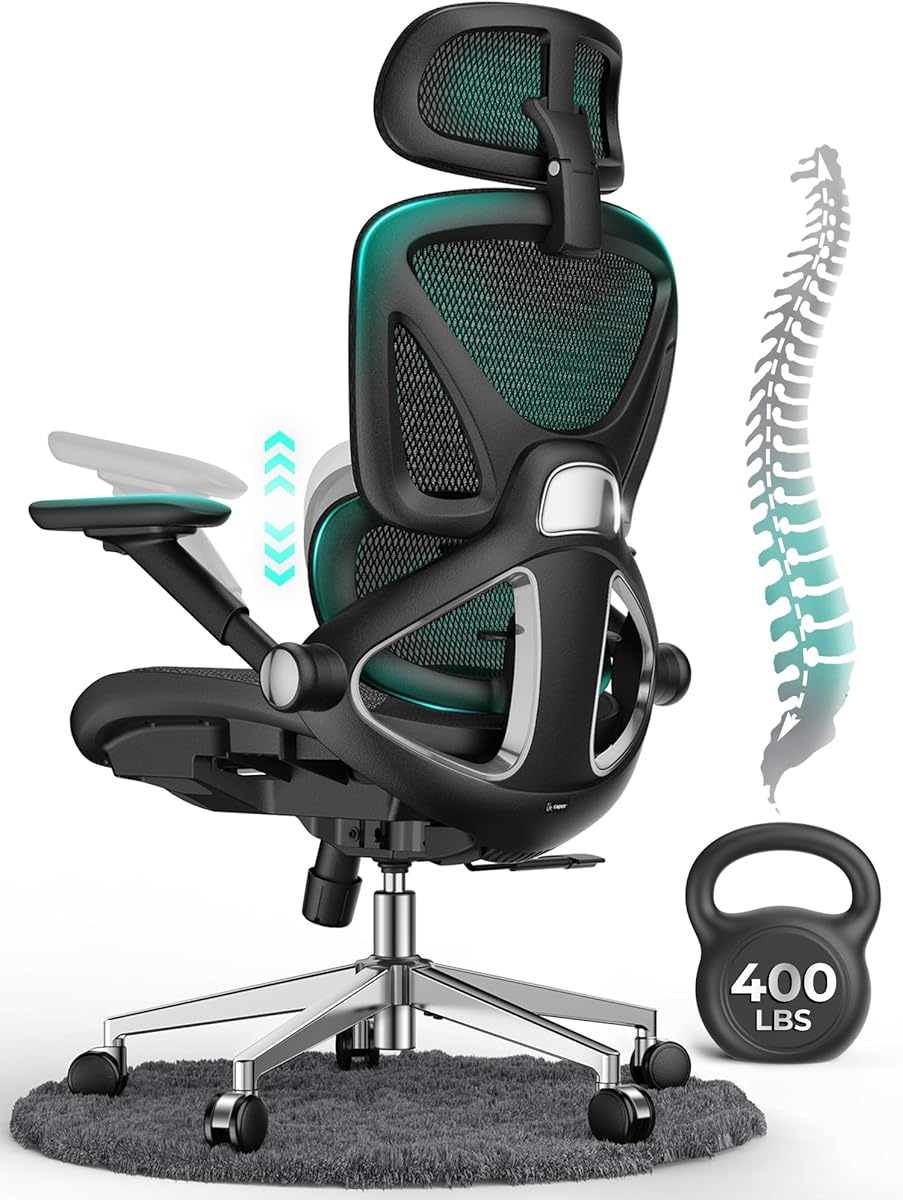
This is a high-back mesh chair with adjustable lumbar support and 4D flip-up armrests. The adjustable lumbar lets you dial in support for your lower back’s curve, and the mesh back breathes so you’re less likely to overheat and shift around. The 400 lb weight capacity and flip-up arms make it flexible for different body types and small spaces.
Pros:
- Adjustable lumbar support targets the lower back directly.
- 4D armrests can be positioned to reduce shoulder and neck strain.
- High weight capacity and flip-up arms add versatility.
Cons:
- Mesh seats aren’t for everyone; some prefer more cushion.
- Assembly is required and may take a bit of time.
Ergonomic Office Chair for Lower Back Relief 4-Way Lumbar 330 LBS Premium

As the name suggests, this chair focuses on lower back relief with a 4-way adjustable lumbar system. That means you can move the support up, down, and in or out to match your spine’s curve. It’s a good fit if you’ve tried chairs with fixed lumbar and found them either too aggressive or not in the right spot.
Pros:
- 4-way lumbar adjustment offers precise positioning.
- Designed specifically for lower back comfort.
- 330 lb capacity suits a wide range of users.
Cons:
- Premium features often mean a higher price point.
- May be bulkier than a simple task chair.
Serta High Back Mesh Ergonomic Office Chair with Adjustable Lumbar Support
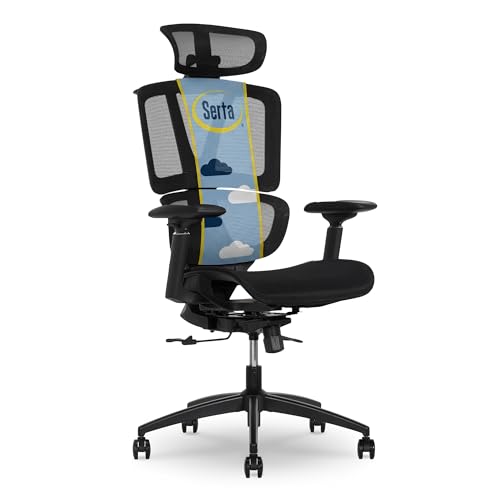
Serta is a well-known name in seating, and this high-back mesh chair includes adjustable lumbar support. The high back gives you shoulder and upper-back support, while the lumbar adjustment helps maintain your lower back’s natural curve. It’s a solid middle-ground option if you want a recognizable brand without going full executive.
Pros:
- Adjustable lumbar support for the lower back.
- High back provides broader spinal support.
- Mesh back for airflow.
Cons:
- Lumbar adjustment range may be limited compared to 4-way systems.
- Armrest adjustability varies by model, so check the details.
500lbs Big and Tall Office Chair Adjustable Lumbar Support Extra Wide Seat Executive Office Chair

This is a big and tall executive chair with a 500 lb capacity, extra-wide seat, and adjustable lumbar support. If standard chairs feel cramped or the seat edges dig into your thighs, a wider seat can help you sit without shifting to find comfort. The adjustable lumbar still lets you support your lower back’s curve.
Pros:
- Extra-wide seat and high weight capacity for larger users.
- Adjustable lumbar support.
- Executive styling with more cushioning.
Cons:
- Takes up more floor space.
- Heavier and harder to move around.
What to Look For
- Adjustable lumbar support: You want to change the height and depth (and ideally the angle) so it fits your lower back, not someone else’s.
- Seat depth: Leave about 2–3 fingers of space between the back of your knee and the seat edge. Some chairs have a sliding seat pan.
- Seat height range: Your feet should rest flat on the floor. If not, a footrest can help.
- Armrest adjustability: Height-adjustable arms let you relax your shoulders. 4D arms add forward/back and in/out movement.
- Backrest height: A high back supports more of your spine, but the lumbar curve is the priority.
- Weight capacity and build: Choose a chair rated above your weight for durability and safety.
FAQ
Can a new chair really fix my back pain? A chair with proper adjustable lumbar support can reduce strain by helping you maintain your spine’s natural curve, but it’s not a medical treatment. Pair it with movement breaks and good posture habits for the best results.
How often should I get up from my chair? A common guideline is to stand and move for 1–2 minutes every 30–60 minutes. Even brief movement helps relieve pressure on your spine and keeps muscles from getting stiff.
What’s the difference between lumbar support and a lumbar pillow? A built-in adjustable lumbar support is part of the chair and can be positioned to match your lower back’s curve. A separate pillow can work, but it may shift and often provides less consistent support.
Is a firmer chair better for back pain? Not necessarily. You want a chair that supports your natural curve without creating pressure points. Too firm can be uncomfortable; too soft may let you slouch. Adjustability matters more than firmness alone.
Should I see a doctor for back pain from sitting? If your pain is severe, persistent, or comes with numbness, weakness, or tingling, see a healthcare professional. This article is general information, not medical advice.